Deleting your GlobeTrotte account
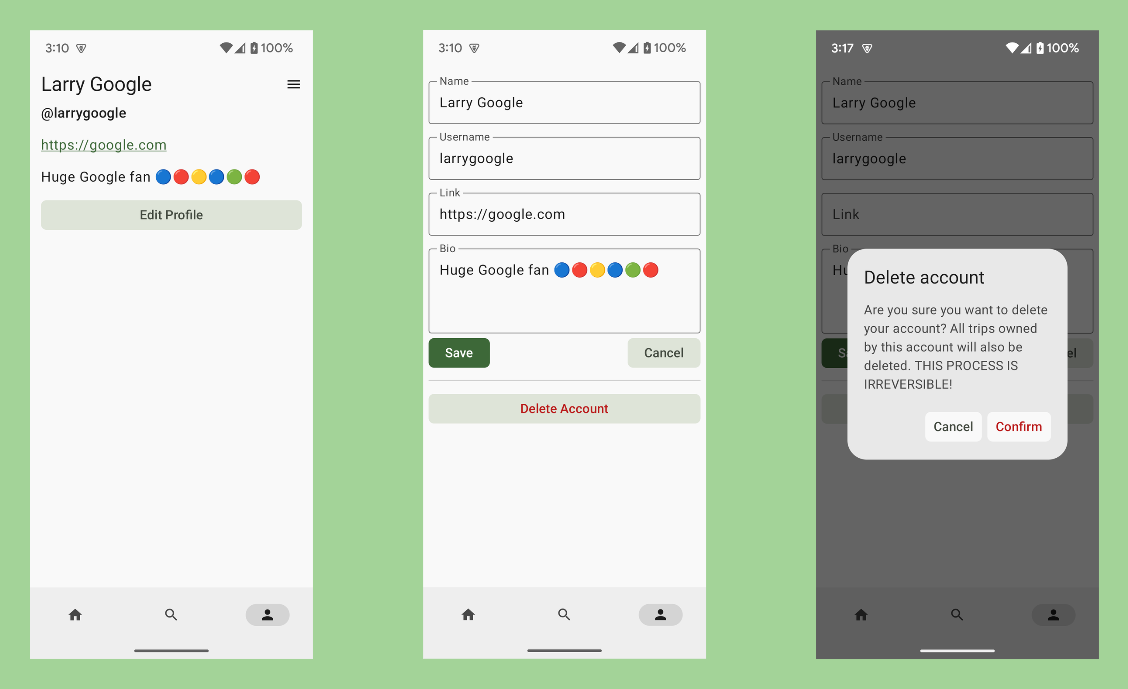
- Login to your account on the app.
- Tap on the bottom right icon to view the profile.
- Select "Edit Profile".
- Click "Delete account".
- Finally, select "Confirm"
Your account (and all associated data) will start being deleted once the server receive the request. Any deleted data done through this process cannot be recovered.